Quick answer: here’s how to switch eSIM providers mid-trip in Europe in under 3 minutes from your phone settings.
If your eSIM stops working in Croatia, Greece, or another European destination, you can switch providers in under 3 minutes. No SIM card swap, no store visit, and you don’t lose your existing plan.
One of the biggest advantages of eSIM technology is the ability to store multiple plans on the same phone. If one provider has poor coverage in your next destination or you simply run out of data mid-trip, you can activate a backup plan instantly from your phone settings.
Many travelers don’t realize they can switch eSIM provider mid-trip without removing their current plan or visiting a store.
From testing travel eSIMs across different countries including Portugal, Spain, and Thailand, one of the most useful features is the ability to install multiple plans on the same device and switch between them instantly when needed.
This guide explains exactly when to switch eSIM providers mid-trip in Europe, how to install a second eSIM, and how to manage multiple eSIM profiles on the same phone.
When to Switch eSIM Provider Mid-Trip
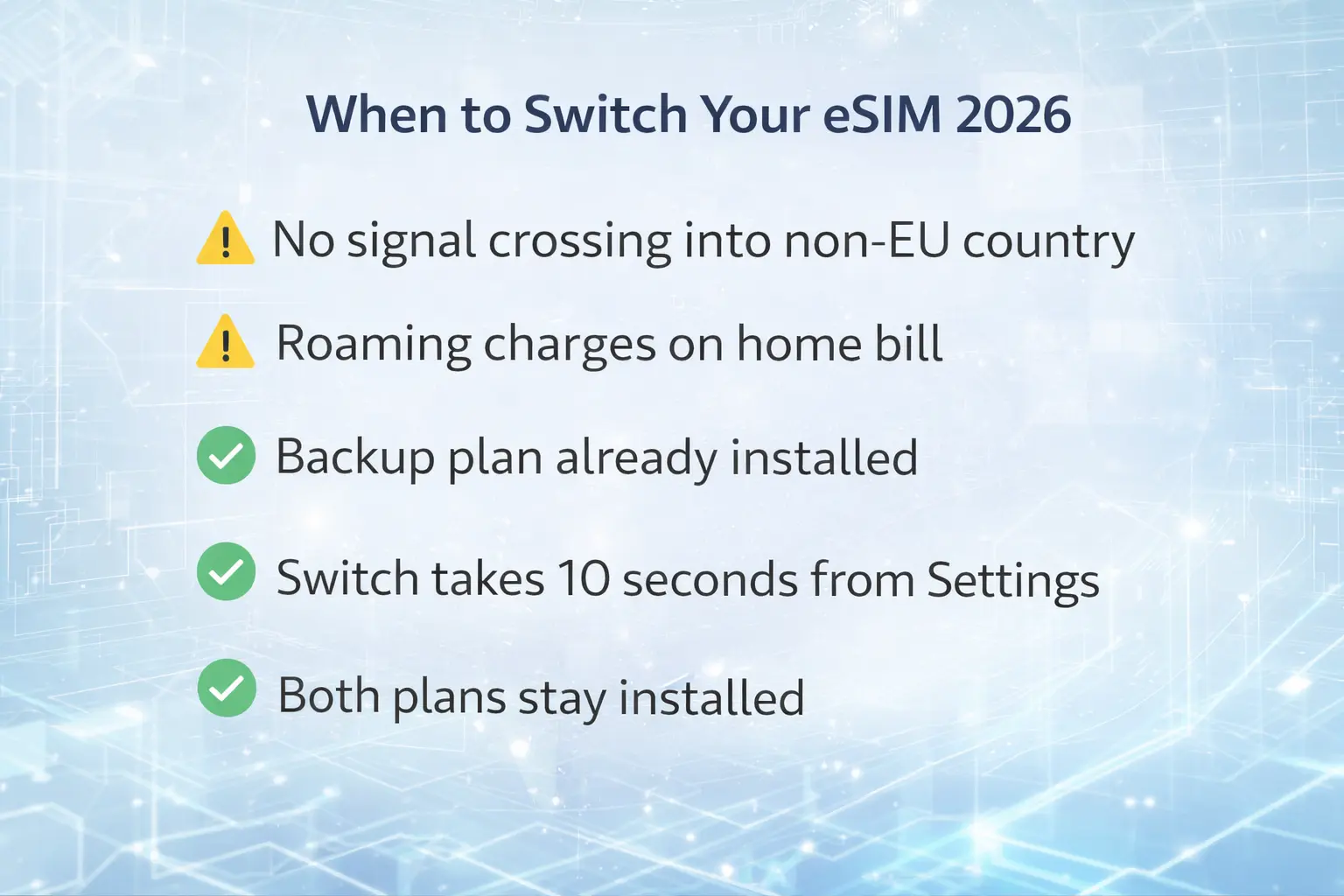
Not every situation requires switching. Here are the specific scenarios where adding a second eSIM mid-trip makes sense:
Your current plan doesn’t cover your next country. Most standard Europe eSIM plans cover EU member states. If you’re crossing into a non-EU Balkan country — Bosnia, Serbia, Albania, Montenegro — and your plan doesn’t include it, your eSIM will simply stop working at the border. Check your plan’s country list before every border crossing.
You’re getting roaming charges. If charges are appearing on your home carrier bill, your eSIM is either not set as the active data line, or Data Roaming is turned off. Fix settings first. If the problem persists, adding a new plan from a different provider is faster than troubleshooting.
Coverage is poor in your current destination. Network quality varies significantly across Europe. Rural areas in the Balkans, mountain passes in the Alps, and remote islands in Greece or Croatia can have weak signal on some carriers. A backup eSIM on a different carrier can bridge the gap.
You’ve run out of data. Buying a new plan mid-trip takes 2 minutes — you don’t need to physically be anywhere, just a Wi-Fi connection to download the new eSIM profile.
You want the cheapest option per destination. Some travelers install a regional Europe plan for most countries and add a cheaper local plan for a long stay in one specific country. Both plans coexist on the same phone.
How to Add a Second eSIM Mid-Trip
If you’re learning how to switch eSIM providers during a trip, installing a second eSIM profile is the first step.
The process is identical whether you’re adding your first eSIM or your fifth. You need Wi-Fi to download the new eSIM profile — use hotel Wi-Fi, a café, or your first eSIM’s data connection.
Before switching providers, it’s helpful to understand how an eSIM actually works. This quick video from Holafly explains the basics and shows how the setup process works on your phone.
On iPhone (iOS 16+)
- Go to Settings → Cellular → Add eSIM
- Choose Use QR Code (scan from your email) or Enter Details Manually
- Follow the on-screen prompts — takes approximately 60–90 seconds
- Label the new plan (e.g. “Nomad Croatia”) to keep plans organised
- Go to Settings → Cellular → Cellular Data and select the new plan as your active data line
- Make sure Data Roaming is toggled ON for the new plan
On Android (Samsung)
- Go to Settings → Connections → SIM Card Manager → Add Mobile Plan
- Scan the QR code from your provider email
- Follow prompts to download and install the profile
- In SIM Card Manager, set the new eSIM as your preferred data SIM
- Enable Data Roaming for the new line
On Android (Google Pixel)
- Go to Settings → Network & Internet → SIMs → Add More
- Choose Download a SIM instead
- Scan the QR code or enter details manually
- Set as active data SIM after installation
For full device-specific instructions, see Apple’s official eSIM support guide.

Best eSIM Providers You Can Add Mid-Trip
Several major travel eSIM providers allow instant purchase and installation during a trip.
Holafly Unlimited data in 40+ European countries. Ideal as a primary plan for travelers visiting multiple destinations. QR code arrives by email within seconds of purchase.
Nomad Flexible pay-per-GB plans and strong coverage across most of Europe. A good backup option with a different carrier network than Holafly — ideal for redundancy.
Saily Budget-friendly plans with competitive pricing for short trips or specific countries. Built-in NordVPN security — useful when switching to a new network mid-trip.
Airalo The largest eSIM marketplace with local, regional, and global plans available instantly through their app. Available at airalo.com
Managing Multiple eSIM Profiles
Once you have two or more eSIM plans installed, managing them correctly is what keeps everything working smoothly.
The key settings to understand
Primary Line vs Data Line: Your physical SIM (home carrier) handles calls and SMS. Your eSIM handles data. These are independent. You can receive calls on your home number while using Nomad data for browsing — simultaneously.
Only one plan provides data at a time. Having two eSIMs installed doesn’t mean both are using data. You select which plan is the active data source in Settings. The others are dormant — installed but not consuming data or costing money.
Switching between installed plans takes 10 seconds. Go to Settings → Cellular → Cellular Data → select the plan you want. No reinstallation, no QR code, no waiting.
Once you understand how to switch eSIM on your phone, managing multiple travel data plans becomes extremely easy.
Practical labelling system
When you install each plan, label it clearly during setup:
- “Holafly Europe — expires 20 Mar”
- “Nomad Croatia — 10GB”
- “Saily Germany — 5GB”
This prevents confusion when switching between plans in different countries.
What happens to an inactive plan?
An installed eSIM that isn’t set as the active data line consumes zero data and incurs zero charges. It stays on your phone indefinitely. You can reactivate it instantly if you return to a country where it works, or if your current plan runs out.
Deleting old plans
When a plan expires or you no longer need it, delete it from Settings → Cellular → the plan name → Remove Cellular Plan. This keeps your plan list clean. Note: most eSIM profiles can only be installed once — if you delete an active plan, you may not be able to reinstall it. Only delete expired or fully used plans.
The Backup eSIM Strategy
The smartest approach for a multi-country Europe trip is to set up a backup plan before you leave home — not mid-trip when you’re scrambling for Wi-Fi.
How it works:
- Install your primary Europe plan at home (e.g. Holafly Europe 15 days)
- Purchase a backup plan from a different provider (e.g. Nomad Europe 5GB) — install it on your phone before departure
- Both plans sit on your phone, installed but only one active
- If your primary plan has coverage issues in a specific country, switch to the backup in 10 seconds from Settings
- No Wi-Fi required to switch — only to install. Installation happens at home.
Which plan combination works best for Europe:
- Primary: Holafly unlimited — covers 40+ European countries including most non-EU
- Backup: Nomad 5GB — different carrier network, covers 35 countries
Different providers use different carrier partners in each country. If Holafly’s carrier has congestion or poor coverage in one area, Nomad’s carrier may perform better. Having both installed gives you a real network fallback without any additional cost until you activate the backup.
Common Mistakes to Avoid
Forgetting to set the new eSIM as the data line. After installing a new plan, it doesn’t automatically become the active data source. You must manually select it in Settings → Cellular → Cellular Data. Many travelers install a plan and then wonder why they still have no signal — the old plan is still set as the data line.
Data Roaming is off. Travel eSIMs require Data Roaming to be enabled on the eSIM line. Check this every time you add a new plan. It’s the most common activation issue.
Trying to install an eSIM without Wi-Fi. You cannot download a new eSIM profile without an internet connection. If your current plan has failed entirely and you have no Wi-Fi, you can’t install a new one. This is why the backup strategy above — installing before you need it — matters.
Deleting a plan you still need. If you delete an eSIM profile, most providers cannot restore it to the same device. Treat deletion as permanent. Only delete after a plan has fully expired or been completely used.
FAQ
Can I have two eSIM plans active at the same time in Europe?
Yes — most modern smartphones support multiple eSIM profiles installed simultaneously, but only one can be the active data source at a time. You switch between them in Settings in about 10 seconds. Your physical SIM can handle calls and SMS while your eSIM handles data. Check your specific phone model’s eSIM capacity — iPhone 13 and newer support up to 8 installed eSIMs; most Android flagships support 2–4.
Do I lose my first eSIM plan when I install a second one?
No. Installing a second eSIM does not delete or deactivate your first plan. Both plans remain installed. The one set as the active data line in Settings is the one consuming data. The other sits dormant — installed, not active, not costing anything.
How long does it take to switch eSIM providers mid-trip?
If the new plan is already installed on your phone: 10 seconds — go to Settings → Cellular → Cellular Data → select the plan. If you need to purchase and install a new plan from scratch: approximately 2–3 minutes — purchase online, receive QR code by email, scan to install, set as active data line. You need Wi-Fi to install a new eSIM profile.
Can I switch eSIM providers without Wi-Fi?
You can switch between already-installed plans without Wi-Fi — just go to Settings and change the active data line. But you cannot install a new eSIM profile without an internet connection. This is why the backup strategy (install both plans at home before departure) is recommended for long Europe trips.
Which eSIM providers work best as backup options for Europe?
For a primary + backup combination, Holafly and Nomad use different carrier networks in most European countries — making them effective mutual backups. Saily is a strong budget backup for any trip where AIS or True Move network is preferred. Install both before leaving home so you have an instant switch option without needing Wi-Fi mid-trip.
Does switching eSIM providers restart my data counter?
No — your existing plan’s data usage and expiry remain unchanged. Switching the active data line to a new plan means the new plan’s data starts being consumed. Your old plan retains whatever data and days remain. You can switch back at any time.
Final Verdict
Switching eSIM providers mid-trip is simpler than most travelers expect — and knowing how to do it transforms a potential connectivity crisis into a 10-second settings change.
The key principles:
- Install your backup plan before you leave home — not after coverage fails
- Label every plan clearly so switching is instant
- Never delete a plan until it’s fully expired
- Data Roaming ON is mandatory on every eSIM line you use
For most Europe travelers: Holafly as primary (unlimited, 40+ countries), Nomad as backup (different carrier network, 35 countries). Both installed at home, switch between them in seconds when needed.
Understanding how to switch eSIM providers during a trip gives you full control over your mobile connectivity anywhere in Europe.
This article contains affiliate links. I may earn a commission at no extra cost to you. All information verified March 2026.
Last verified: March 2026.
Keep Reading
eSIM Setup Guides
- How to Activate eSIM for Europe: Step-by-Step
- eSIM Compatible Phones: Full List 2026
- Best eSIM for Europe 2026
eSIM Coverage
- eSIM Coverage in the Balkans 2026 — where most plans fail
- Best eSIM for 10+ Countries in Europe