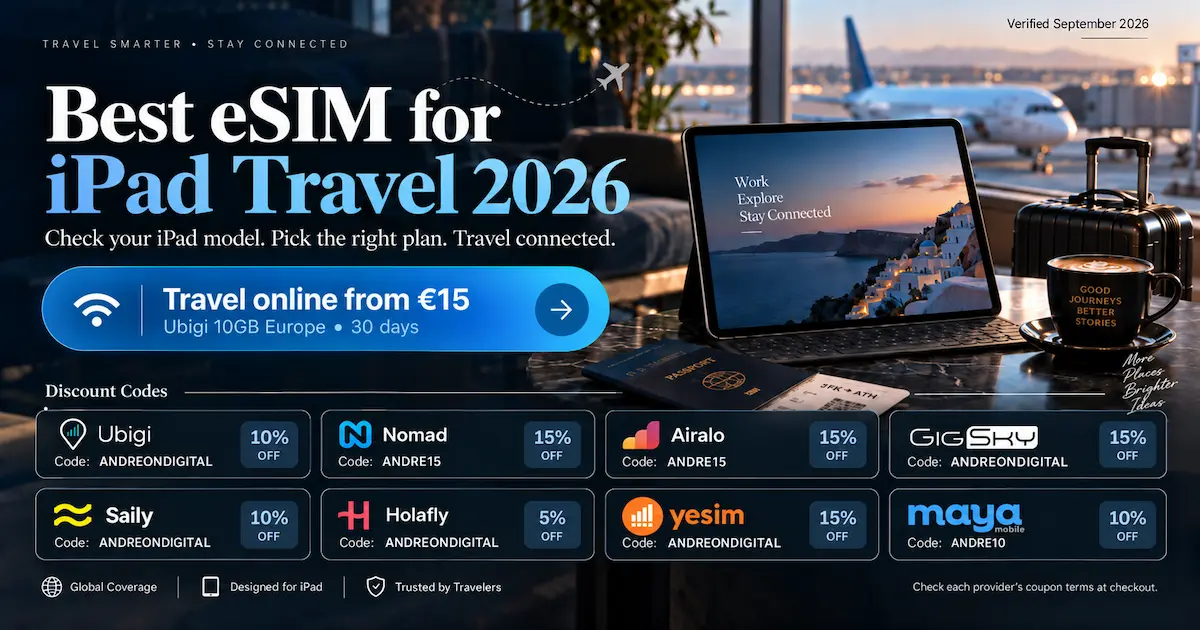

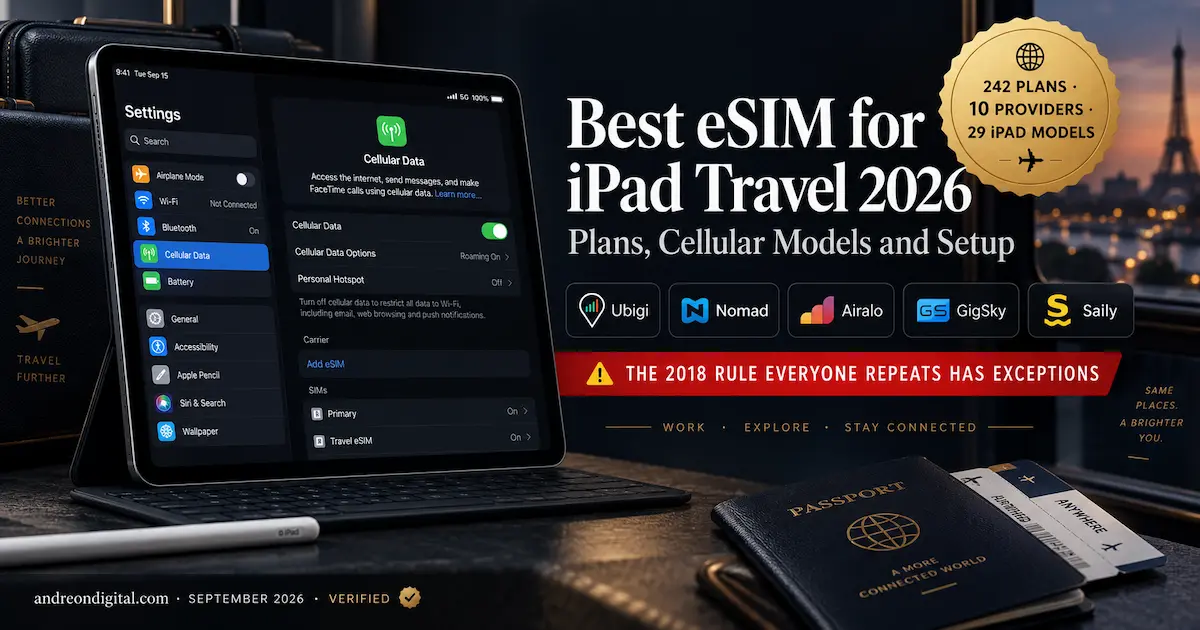
For Best eSIM for iPad 2026, the first decision is not the provider. It is whether your exact iPad model can use eSIM at all. Once that is clear, an iPad with its own data plan changes how a trip feels: you stop rationing phone battery for tethering, the connection stays independent of your phone, and the bigger screen finally earns its place on a train or in a café.
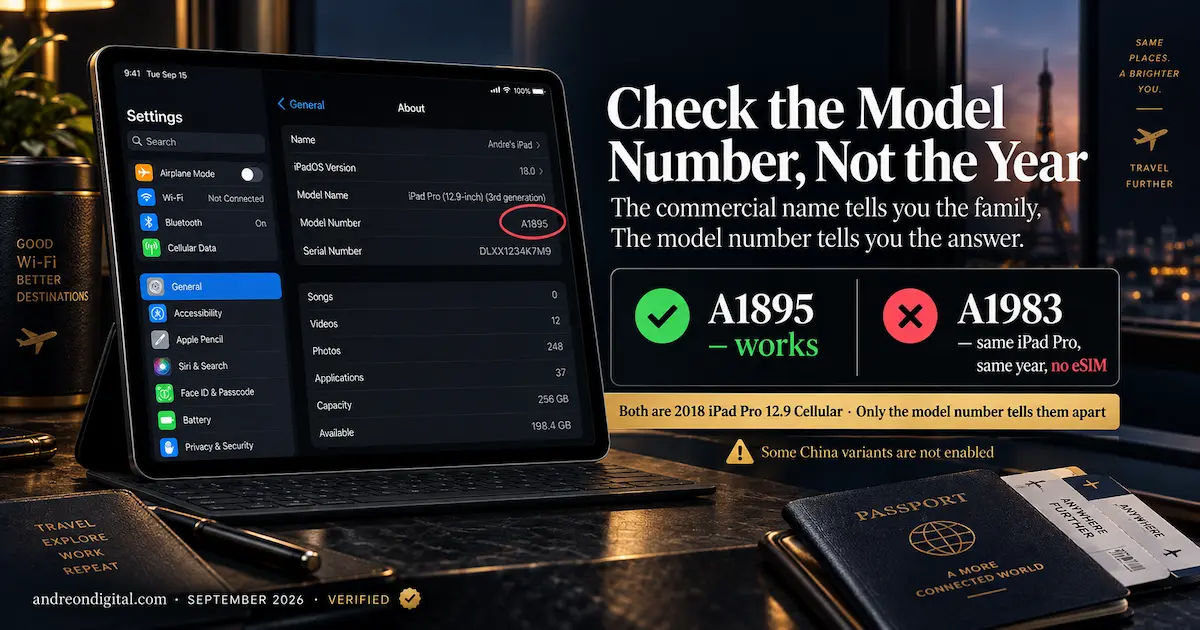
The first decision is where most guides go wrong. Almost every article on this topic repeats the same rule: any Wi-Fi + Cellular iPad from 2018 onward supports eSIM. That is nearly right, and the gap between nearly and completely is what sends people to a support queue on their first morning abroad.
⚡ Best eSIM for iPad 2026, Quick Answer
🥇 Best for iPad specifically: Ubigi, publishes iPad-only documentation and works through the iPad’s own Cellular Data menu
💰 Best value in Europe: Ubigi €15 for 10GB, €29 for 25GB over 30 days across 38 countries
🌍 Best for many countries: Airalo and Nomad, for local, regional and global packages on one device
📅 Best for buying ahead: GigSky, with up to 365 days to activate a one-off plan
🔄 Best for occasional use: Roamless, where credit is spent per megabyte instead of expiring
✅ Check first: Settings, General, About, then read the model number
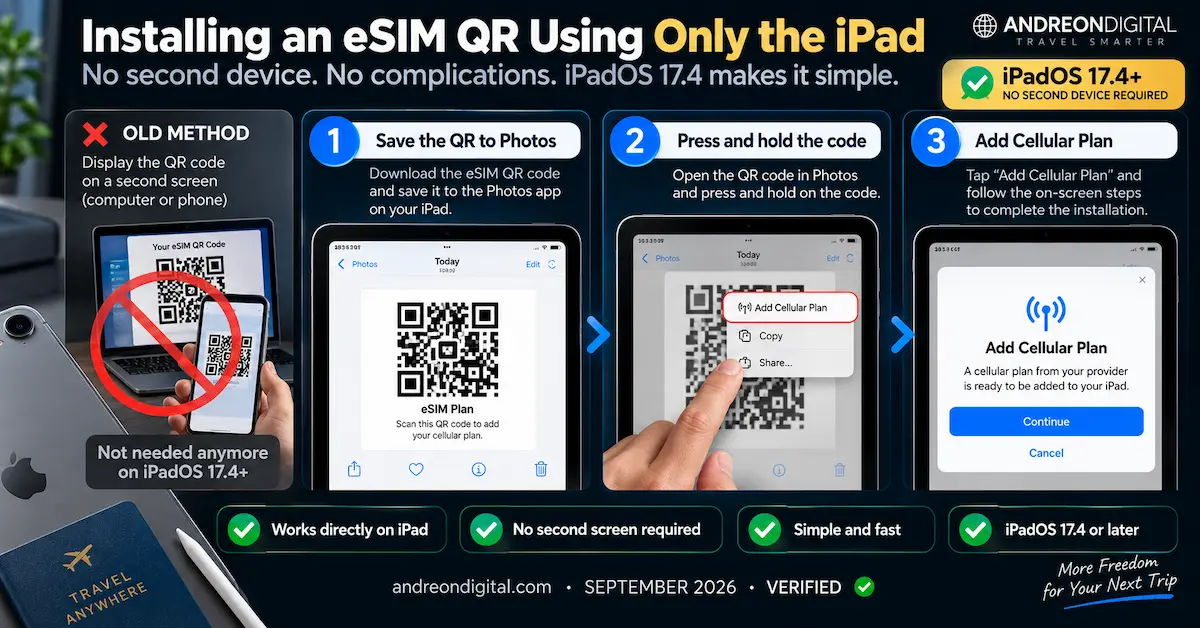
📲 On iPadOS 17.4 or later you can install a QR code using only the iPad
⚠️ Deleting the eSIM does not cancel a subscription
Best eSIM for iPad 2026 Compatibility: Which iPads Support eSIM?
The Best eSIM for iPad 2026 only works if the hardware supports it, so compatibility comes before price or coverage. Three rules cover almost everything. Wi-Fi-only iPads have no cellular hardware, so nothing can add it. Cellular models from 2018 onward generally support eSIM, with the China variants noted below as the exception. And from 2024 onward there is no physical SIM tray at all, which makes eSIM the only route to mobile data on those devices.
eSIM only, no SIM tray (2024 onward)
| Model | Year | Network | Cellular model ID | China variant |
|---|---|---|---|---|
| iPad Pro 13-inch (M5) | 2025 | 5G / LTE | A3361 | A3362 ✅ enabled |
| iPad Pro 11-inch (M5) | 2025 | 5G / LTE | A3358 | A3359 ✅ enabled |
| iPad Pro 13-inch (M4) | 2024 | 5G / LTE | A2926 | A3007 ✅ enabled |
| iPad Pro 11-inch (M4) | 2024 | 5G / LTE | A2837 | A3006 ✅ enabled |
| iPad Air 13-inch (M4) | 2026 | 5G / LTE | A3462 | A3464 ✅ enabled |
| iPad Air 11-inch (M4) | 2026 | 5G / LTE | A3460 | A3463 ✅ enabled |
| iPad Air 13-inch (M3) | 2025 | 5G / LTE | A3269 | A3271 ✅ enabled |
| iPad Air 11-inch (M3) | 2025 | 5G / LTE | A3267 | A3270 ✅ enabled |
| iPad Air 13-inch (M2) | 2024 | 5G / LTE | A2899 | A2900 ✅ enabled |
| iPad Air 11-inch (M2) | 2024 | 5G / LTE | A2903 | A2904 ✅ enabled |
| iPad mini (A17 Pro) | 2024 | 5G / LTE | A2995 | A2996 ✅ enabled |
| iPad (A16) | 2025 | 5G / LTE | A3355 | A3356 ✅ enabled |
eSIM plus a nano-SIM tray (2018 to 2022)
| Model | Year | Network | Cellular model ID | China variant |
|---|---|---|---|---|
| iPad Pro 12.9-inch (6th gen) | 2022 | 5G / LTE | A2437, A2764 | ⚠️ A2766 not enabled |
| iPad Pro 11-inch (4th gen) | 2022 | 5G / LTE | A2761, A2435 | ⚠️ A2762 not enabled |
| iPad Air (5th gen) | 2022 | 5G / LTE | A2589, A2591 | ⚠️ check the model number |
| iPad (10th gen) | 2022 | 5G / LTE | A2757 | ⚠️ A2777 not enabled · A3162 ✅ |
| iPad Pro 12.9-inch (5th gen) | 2021 | 5G / LTE | A2461, A2379 | ⚠️ A2462 not enabled |
| iPad Pro 11-inch (3rd gen) | 2021 | 5G / LTE | A2459, A2301 | ⚠️ A2460 not enabled |
| iPad mini (6th gen) | 2021 | 5G / LTE | A2568 | ⚠️ A2569 not enabled |
| iPad (9th gen) | 2021 | LTE | A2604, A2603 | ⚠️ A2605 not enabled |
| iPad Pro 12.9-inch (4th gen) | 2020 | LTE | A2069, A2232 | ⚠️ A2233 not enabled |
| iPad Pro 11-inch (2nd gen) | 2020 | LTE | A2068, A2230 | ⚠️ A2231 not enabled |
| iPad Air (4th gen) | 2020 | LTE | A2324, A2325, A2072 | ⚠️ check the model number |
| iPad (8th gen) | 2020 | LTE | A2428, A2429, A2430 | ⚠️ check the model number |
| iPad Air (3rd gen) | 2019 | LTE | A2123, A2153 | ⚠️ A2154 not enabled |
| iPad mini (5th gen) | 2019 | LTE | A2124, A2126 | ⚠️ A2125 not enabled |
| iPad (7th gen) | 2019 | LTE | A2200, A2198 | ⚠️ check the model number |
| iPad Pro 12.9-inch (3rd gen) | 2018 | LTE | A2014, A1895 | ⚠️ A1983 not enabled |
| iPad Pro 11-inch | 2018 | LTE | A2013, A1934 | ⚠️ A1979 not enabled |
Best eSIM for iPad 2026 Plans: What an iPad Actually Costs to Connect
In the Best eSIM for iPad 2026 comparison, tablets need to be priced differently from phones because the screen is larger, the apps are heavier and background syncing can use more data. That shifts the sensible plan size upward and makes the mid-range tiers worth comparing carefully. Here is what the main providers charge, taken from their own pages and shown in the currency each one publishes.
🇪🇺 Europe
| Provider | Plan | Price | Per GB | Countries | Note |
|---|---|---|---|---|---|
| Ubigi | 10GB / 30 days | €15 | €1.50 | 38 | iPad-specific documentation |
| Ubigi | 25GB / 30 days | €29 | €1.16 | 38 | Best per-gigabyte here |
| Ubigi | Unlimited / 7 days | €23 | — | 38 | 25GB at full speed, then 2 Mbps |
| Ubigi | Unlimited / 15 days | €35 | — | 38 | 30GB at full speed, then 2 Mbps |
| Ubigi | Unlimited / 30 days | €62 | — | 38 | 60GB at full speed, then 2 Mbps |
| Ubigi | 20GB monthly | €19/mo | €0.95 | 38 | ⚠️ Subscription, 3-month minimum |
🇺🇸 United States and 🇯🇵 Japan
| Provider | Destination | Plan | Price | Per GB | Note |
|---|---|---|---|---|---|
| Ubigi | USA | 10GB / 30 days | $14 | $1.40 | ⚠️ Includes Hawaii, excludes Alaska |
| Ubigi | USA | 25GB / 30 days | $32 | $1.28 | Same exclusion applies |
| Ubigi | USA | Unlimited / 30 days | $65 | — | 60GB at full speed, then 2 Mbps |
| Ubigi | Japan | 10GB / 30 days | $16.50 | $1.65 | — |
| Ubigi | Japan | 25GB / 30 days | $32 | $1.28 | — |
| Ubigi | Japan | Unlimited / 8 days | $25 | — | 5GB per day, then 2 Mbps |
🌍 Global and regional
| Provider | Plan | Price | Per GB | Countries |
|---|---|---|---|---|
| Ubigi | Global 10GB / 30 days | $59 | $5.90 | 202 |
| Ubigi | Global 25GB / 90 days | $99 | $3.96 | 202 |
| Ubigi | Americas 10GB / 30 days | $48 | $4.80 | 25 |
| Ubigi | Best LatAm 25GB / 30 days | $58 | $2.32 | 15 |
| Ubigi | Best LatAm Unlimited / 30 days | $99 | — | 15 |

Best eSIM for iPad 2026 by Trip Type
The Best eSIM for iPad 2026 depends on the kind of trip you are taking, not just the cheapest headline price. Ten providers document iPad support explicitly, and they differ on how they handle installation, validity and the tablet itself. If you want the provider-level detail before choosing, the full reviews for Ubigi, Nomad, Airalo, Roamless, Saily, aloSIM and Holafly go deeper into pricing, limitations and setup.
| Provider | Best fit for an iPad | How it installs | The condition worth knowing |
|---|---|---|---|
| Ubigi | Direct iPad use, with documentation written for it | App, QR, or the iPad’s own Cellular Data > Find a new plan | USA excludes Alaska; monthly plans are subscriptions |
| Nomad | Comparing fixed allowances by destination | App, QR, or SM-DP+ with manual code | ⚠️ Its own iPad guide lists Apple models incorrectly |
| Airalo | Local, regional and global packages side by side | QR or SM-DP+ from the order, installed on the iPad | No transfer once installed; Wi-Fi-only not supported |
| GigSky | Buying well ahead of a trip | App or QR, with an iPad-specific guide | 365 days to activate; unlimited is 3.5GB/day then 500kbps |
| Roamless | Occasional use and frequent short trips | QR from the phone app, or manual code | One device at a time, no simultaneous use |
| Saily | Managing plans on the iPad itself | App on the iPad, then Install eSIM | Needs iPadOS 17.0 or later for the app |
| aloSIM | Automatic install from its own iPad app | My eSIMs, then automatic, QR or manual | Do not share one profile between phone and iPad |
| Holafly | Unlimited by number of days | Automatic through the app on supported versions | Fair use policy applies without a published threshold |
| Yesim | Fixed and unlimited, separate profiles per device | QR by email, displayed on another screen | Activation rules differ by partner network |
| Maya Mobile | Global unlimited, bought through the website | Website purchase, QR install | New catalogue replaced the legacy plans |
Ubigi on iPad: Setup, Pricing and the Tablet-Specific Advantage
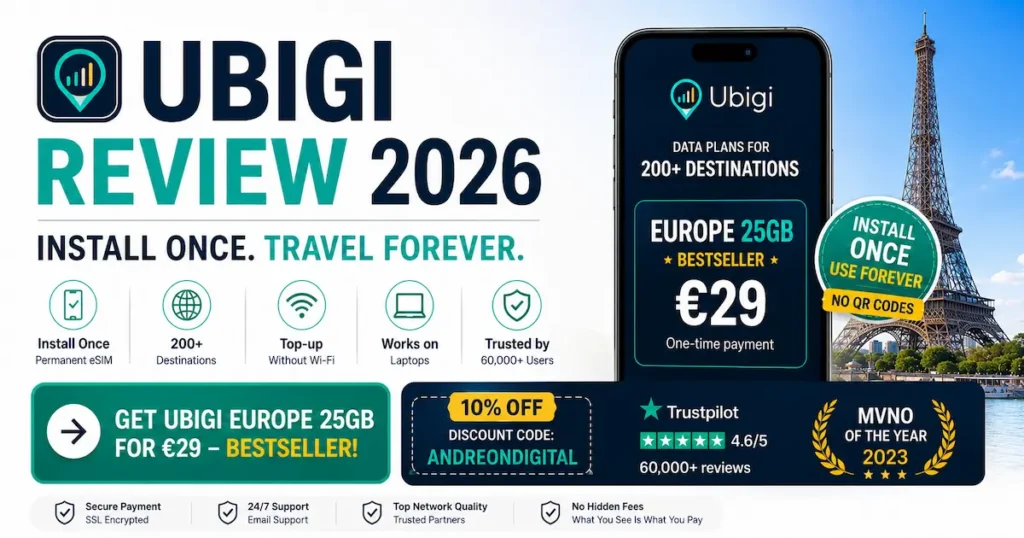
Within our Best eSIM for iPad 2026 shortlist, Ubigi stands out because it documents the iPad as an iPad, not just as another generic eSIM device. Its setup flow can run through the tablet’s own Cellular Data menu, and its fixed Europe, US and Japan plans are especially relevant for people who want a separate connection without relying on phone tethering. For the deeper provider analysis, see our Ubigi Review 2026.
The main thing to remember after watching is that Ubigi’s one-off plans and monthly subscriptions are not the same product. For a normal trip, compare the one-off allowance and validity first. If you travel repeatedly to the same region, then the monthly option can make sense.
Nomad on iPad: Fixed Data Plans and Multi-Country Travel
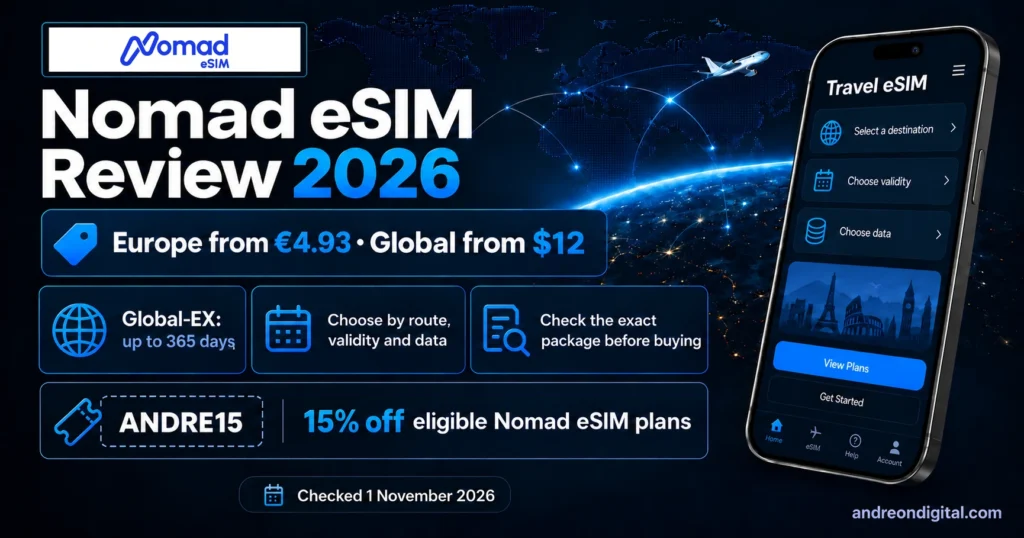
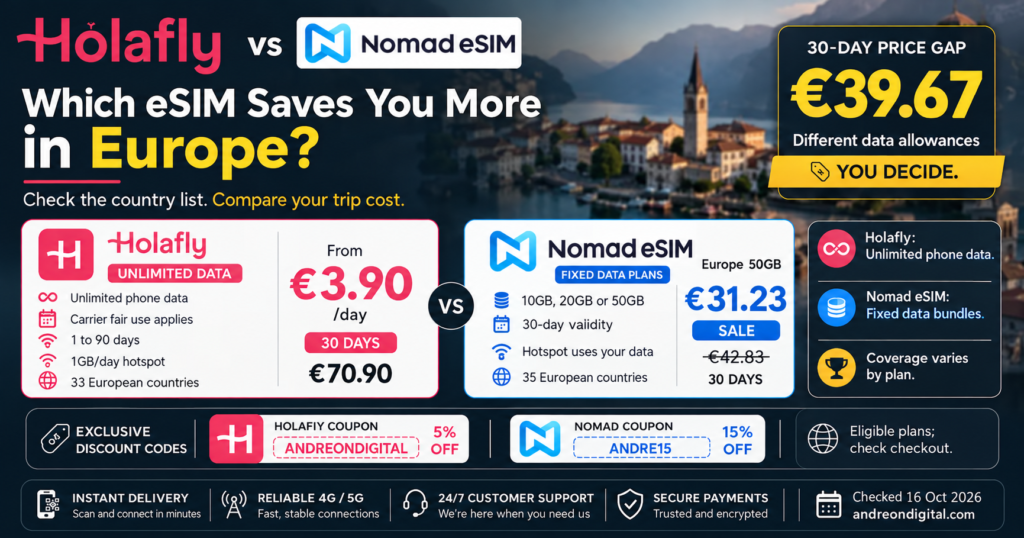
Nomad is useful when you want to compare fixed data sizes quickly across a destination, a region or a longer itinerary. The important iPad-specific caution is compatibility: use Apple’s model list rather than relying only on a provider table. Our Nomad eSIM Review 2026 covers the service in more detail, and the Holafly vs Nomad comparison is useful if you are deciding between fixed data and unlimited-style travel plans.
For an iPad, plan size matters more than it does on a phone. If the tablet will handle maps, video calls, streaming or work, compare 10GB, 20GB and larger tiers rather than choosing the smallest plan just because the entry price looks attractive.
Airalo on iPad: Local, Regional and Global Plans in One Place
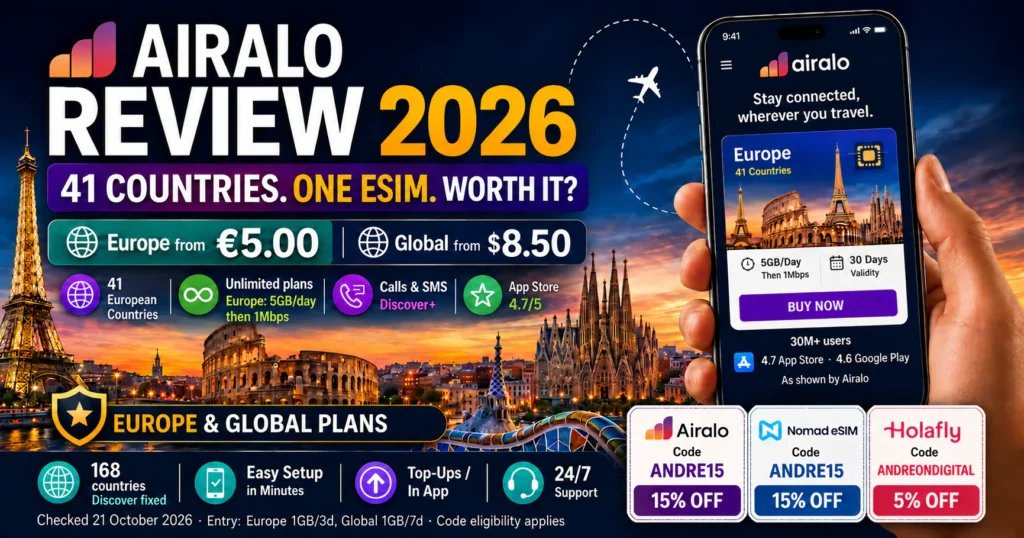
Airalo works well for travellers who want local, regional and global options inside the same ecosystem. On an iPad, that makes it easy to choose one plan for a single country or move up to a broader package for a multi-stop trip. Read the full Airalo Review for Europe 2026, or compare it directly in our Saily vs Airalo 2026 guide.
The practical rule is the same as with every iPad plan: check the full route, validity and allowance before buying. A regional package can be better value than stacking multiple local plans, but only when every country you need is actually included.
GigSky on iPad: Best When You Want to Buy Well Before the Trip
GigSky’s strongest fit in this guide is timing. Its one-off plans can be activated up to 365 days after purchase, which is useful when the trip is booked far in advance or you want the eSIM ready before departure. Its iPad documentation also explicitly warns against deleting the profile while troubleshooting.
On unlimited packages, pay attention to the daily high-speed allowance rather than the word unlimited by itself. The current plans referenced in this guide provide 3.5GB per day at full speed before reducing speed until the next daily cycle.
Roamless on iPad: Pay-As-You-Go Credit for Short and Irregular Use
Roamless takes a different approach from fixed travel bundles because the balance is spent as you use data instead of being tied to one short validity window. That can fit an iPad that only comes online occasionally during short trips, airport waits or backup situations. Our Roamless eSIM Review 2026 explains the PAYG model and where it is strongest.
For heavy tablet use, a fixed 10GB, 20GB or 25GB plan can still be easier to budget. Roamless makes the most sense when flexibility matters more than having one large allowance that expires on a specific date.
Saily on iPad: App-Based Setup and Simple Plan Management
Saily is a straightforward option for people who want to manage installation and plan controls directly from the iPad. Its app requires iPadOS 17.0 or later, so software version matters before you start. For provider details, see our Saily eSIM Review 2026 and the direct Saily vs Airalo comparison.
The app-first setup is convenient, but the same basic checks still apply: confirm the iPad model, check the destination list, understand when validity starts and keep the eSIM installed if you are troubleshooting a connection problem.
Best eSIM for iPad 2026 Setup: QR, App and Manual Methods
Setting up the Best eSIM for iPad 2026 is straightforward once the hardware check is done, but the order still matters. Installing a profile and starting a plan’s paid validity are two different events at most providers, and doing them in the wrong order can waste days. If you want the general process outside the iPad context, use our step-by-step eSIM activation guide.
Before you buy
| Step | What to do | Why it matters |
|---|---|---|
| 1. Confirm the hardware | Settings > General > About, read the model number | The commercial name is not enough, as the tables above show |
| 2. Check the whole route | Every country on the trip, the validity in days, the allowance and the fair use rule | A regional plan that misses one country costs more than a bigger plan that includes it |
| 3. Compare like with like | Do not put a USD price next to a EUR price without saying so | Providers publish in different currencies for the same product |
Installing the profile
| Method | How | When to use it |
|---|---|---|
| QR on the same iPad ⭐ | iPadOS 17.4 or later: save the QR to Photos, open it, then press and hold on the code | When the iPad is the only device you have |
| QR by camera | Open the camera, scan the code shown on another screen, tap the detected plan | The traditional route, needs a second display |
| Activation link | iPadOS 17.4 or later: open the link the provider sends | Only when the provider supplies one |
| Provider app | Follow the provider’s own flow inside its app | Check the app supports iPad, not only iPhone |
| Manual entry | Enter the SM-DP+ address and activation code | Fallback when the others fail |
On arrival
| Step | What to do | The catch |
|---|---|---|
| Select the travel line | Settings > Cellular Data, choose the travel plan for data | Menu names vary by iPadOS version and on language |
| Enable roaming on that line | Turn roaming on for the travel eSIM when the provider requires it | ⚠️ Do not blanket-disable roaming, that switches off the travel line too |
| Confirm it works | Turn Wi-Fi off briefly and load a page | Do this before you leave the airport rather than in a taxi |
| Protect the allowance | Turn on Low Data Mode and queue large downloads for Wi-Fi | An iPad syncs more in the background than a phone |
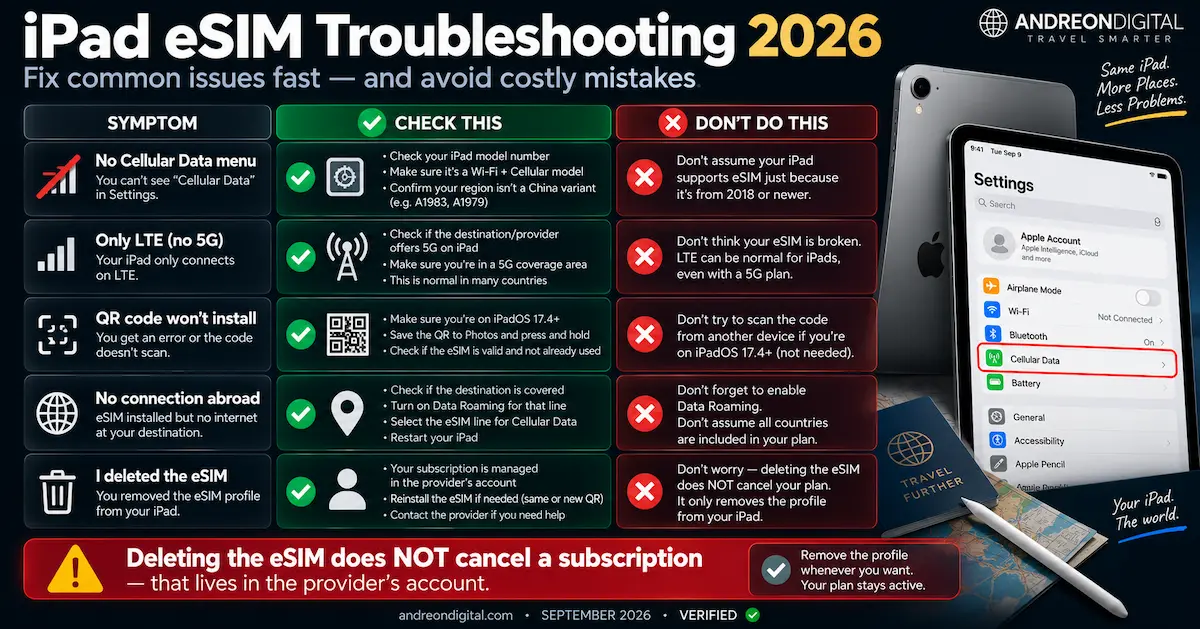
Best eSIM for iPad 2026 Troubleshooting: What to Check First
If the profile installs but the connection still fails, work through the checks below before deleting anything. Our broader eSIM not working troubleshooting guide covers the same failure points across phones and tablets.
| Symptom | What to check | What not to do |
|---|---|---|
| No Cellular Data menu at all | The model number again. A Wi-Fi-only iPad has no cellular hardware | Do not assume installing an app adds a modem |
| Plan installed, no internet | Country covered, validity or balance remaining, correct line selected for data, roaming on for that line | Keep the profile while you contact support |
| Connects only on LTE | Whether your iPad has 5G hardware, then whether the plan and local coverage offer it | Having eSIM does not mean having 5G |
| QR fails or will not transfer | Contact the provider before deleting or reinstalling | Never assume a QR can be reused |
| Unexpected charge after the trip | Automatic renewal and auto top-up in the provider’s account | ⚠️ Deleting the eSIM does not cancel a subscription |
iPad eSIM or Tethering From Your Phone?
This is the question underneath the whole topic, and the answer is not always the eSIM. If you are choosing the connection method itself rather than a provider, compare eSIM vs physical SIM for Europe and eSIM vs pocket WiFi for Europe as well.
| Own eSIM on the iPad | Tethering from the phone | |
|---|---|---|
| Phone battery | ✅ Untouched | ❌ Drains noticeably faster |
| Works when the phone is off or out of range | ✅ Yes | ❌ No |
| Cost for light use | Two plans to pay for | ✅ One plan covers both |
| Setup effort | One-off, before you leave | ✅ Nothing to buy |
| Bringing a laptop online | ✅ Hotspot from the iPad, where the provider allows it | Also possible, at the phone’s expense |
FAQ: Best eSIM for iPad 2026
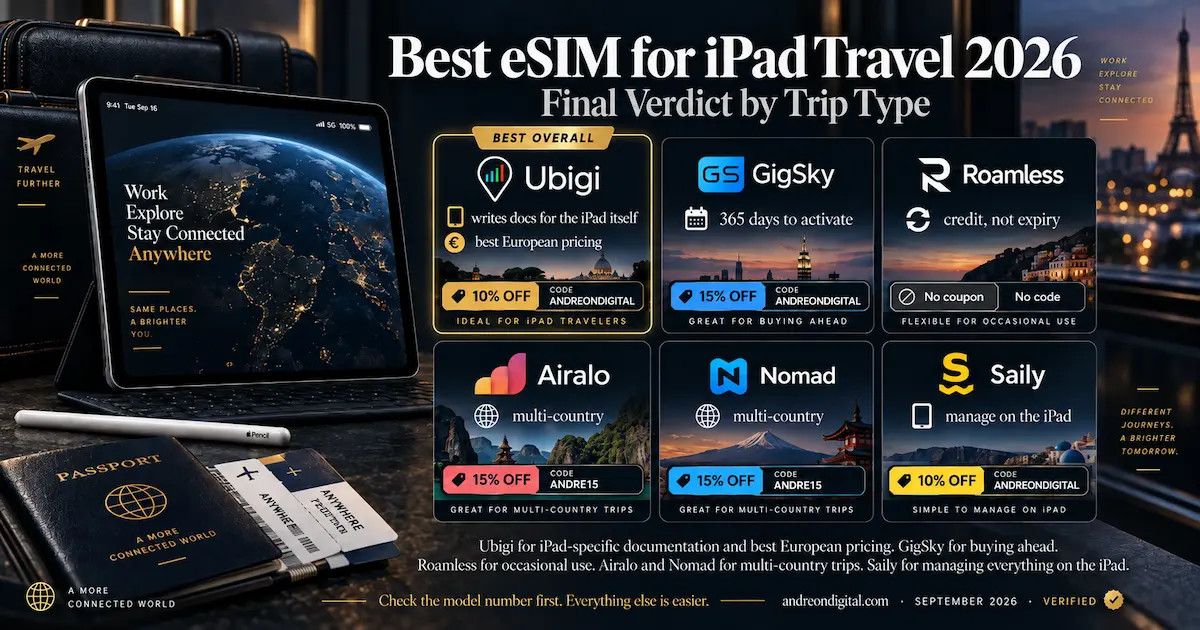
The Bottom Line: Best eSIM for iPad 2026
Two things decide this, and only one of them is the plan. Confirm the model number first, because a Cellular iPad from 2018 is not automatically an eSIM iPad. Then size the plan for a tablet rather than a phone, since the larger screen and heavier apps push usage upward faster than most people budget for.
- 🥇 Ubigi for iPad specifically. It publishes documentation written for the tablet, installs through the iPad’s own Cellular Data menu, and prices Europe at €15 for 10GB and €29 for 25GB
- 📅 GigSky when the trip is not booked yet. Up to 365 days to activate a one-off plan, with clear iPad guidance
- 🔄 Roamless for occasional and frequent short trips, where credit is spent per megabyte rather than expiring
- 🌍 Airalo and Nomad for comparing local, regional and global packages across a long itinerary
- 📲 Saily if you want to manage everything on the iPad itself, from iPadOS 17.0 onward
Three things to carry away. Read the model number, not the year, because several 2018-onward China variants sit outside Apple’s enabled set. On iPadOS 17.4 or later you can install a QR using only the iPad, by saving it to Photos and pressing and holding on it. And deleting the eSIM does not cancel a subscription, which is where an otherwise good trip turns into an unexpected charge in October.
This article contains affiliate links. I may earn a commission at no extra cost to you. iPad compatibility, model numbers and installation methods were read from Apple’s own support documentation. Plans, allowances and conditions were checked on each provider’s official pages on 10 September 2026, covering 242 plan records across ten providers and 29 iPad Cellular models.
Prices appear in the currency each provider natively displays, USD or EUR depending on the product, with no conversion applied. I have personally tested Airalo and Nomad in Portugal and Holafly in Portugal, Turkey and Thailand, on phones rather than tablets, so no iPad-specific speed, coverage or support claims are made here from experience.
Where a provider’s compatibility list disagrees with Apple’s, this guide follows Apple. Nomad’s iPad FAQ cites an iPad 6th generation that does not appear on Apple’s eSIM list, while GigSky’s legacy marketing template still quotes 2.5GB per day where its current unlimited packages specify 3.5GB. Ubigi’s United States product includes Hawaii and excludes Alaska, and its monthly plans carry a three-month minimum. Prices and terms change without notice, so always confirm at checkout.
Last verified: September 2026.
Keep Reading
Devices and Setup
- eSIM Compatible Phones 2026: The Complete Verified List
- How to Activate an eSIM for Europe
- eSIM Not Working in Europe? Troubleshooting Guide
- eSIM vs Physical SIM for Europe
- eSIM vs Pocket WiFi for Europe
Provider Reviews
- Ubigi Review 2026
- Nomad eSIM Review 2026
- Airalo Review Europe 2026
- Roamless eSIM Review 2026
- Saily eSIM Review 2026
- aloSIM Review 2026
- Holafly Review 2026